Every classroom workflow, in one hub.
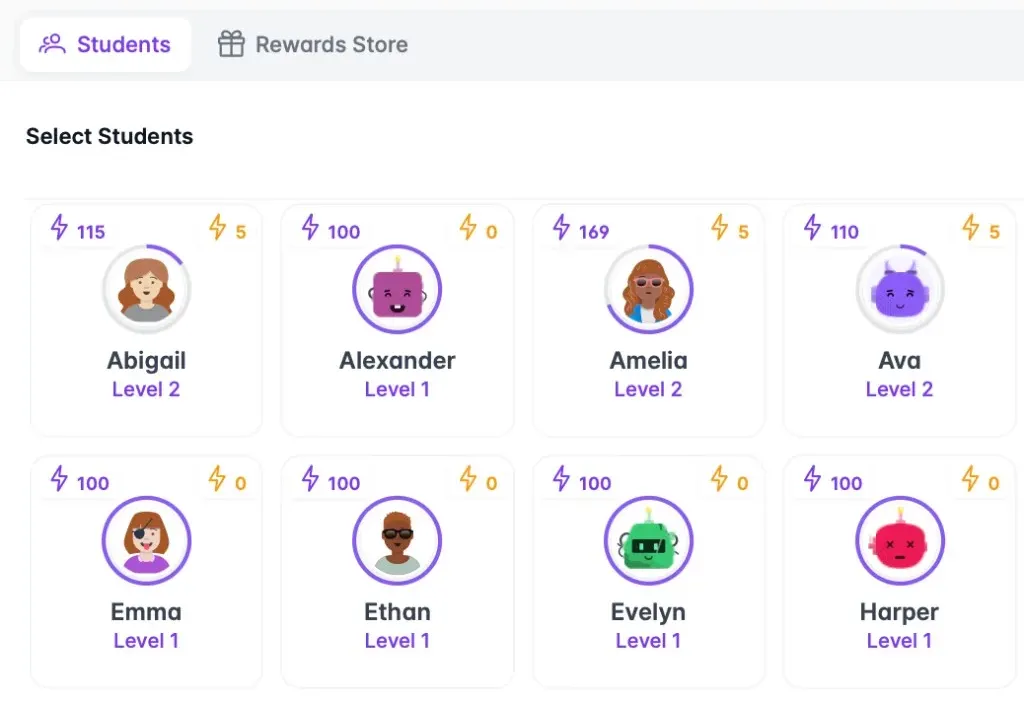
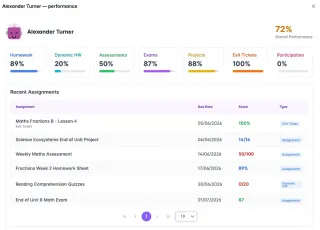
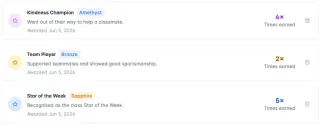
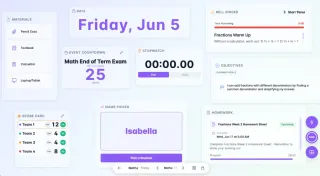
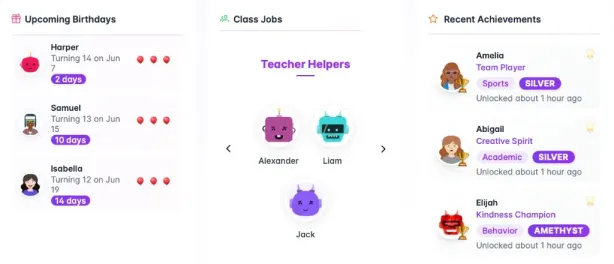
Classroom Hub includes class dashboard, Classroom Screen, weighted gradebook, class points and reward store, exit tickets, curriculum tracking, AI report comments, plan import and lesson set-up, achievements, behaviour incidents, seating groups, homework check-in, dynamic homework goals, and custom avatars — one connected tool replacing wall charts, spreadsheets, and incident notebooks for teachers.

AI that drafts. You decide.
Classroom Hub's AI assistant suggests bell ringers, links learning goals to the curriculum, turns your school's plans into ready-to-teach lessons, and drafts report comments in your voice. Nothing is saved until you have checked it, and pupil names are never sent.
Bell ringer ideas
Stuck for a starter? Get one built around today's objective, then tweak it and add it to the board.
Your plans, ready to teach
Upload a long-term or unit plan (Word, Excel or PDF). Pick today's lesson and its goals, success criteria, bell ringer and exit ticket are set up in one go.
Curriculum links
Add a learning goal and AI finds the statement it teaches. Exit tickets and marks then show which pupils are secure, developing or not yet there.
Report comment drafts
A first draft from the pupil's progress, marks and your notes, written in your style. Tutor comments stay pastoral. Set your word limit and AI shortens to fit.
Built for classrooms, not chatbots
- You check and edit everything before it is saved
- Pupil names and class lists are never sent to the AI
- No copy is kept of what is sent to the AI or what it writes back
- Fits your class: your curriculum, UK or US spelling, and EAL-friendly wording
- Included in your plan, with 50 AI requests a day


One hub, four parts of your day
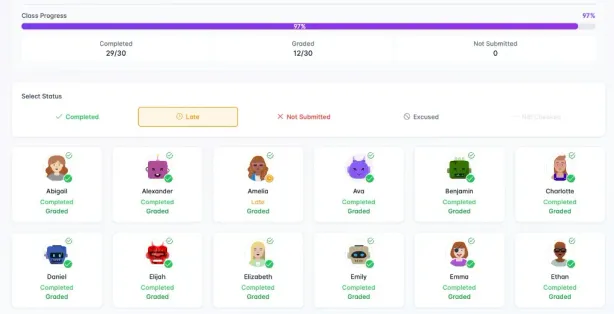
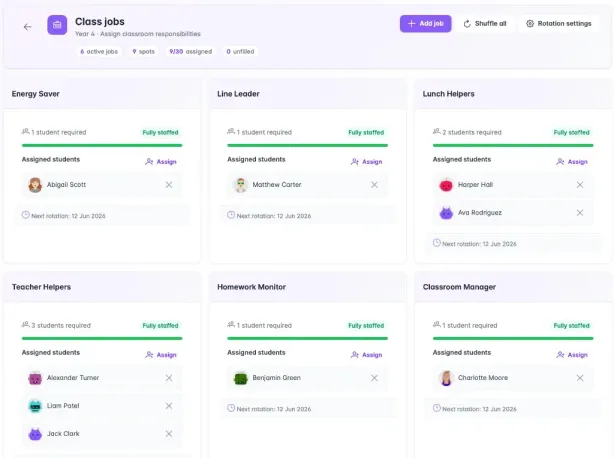
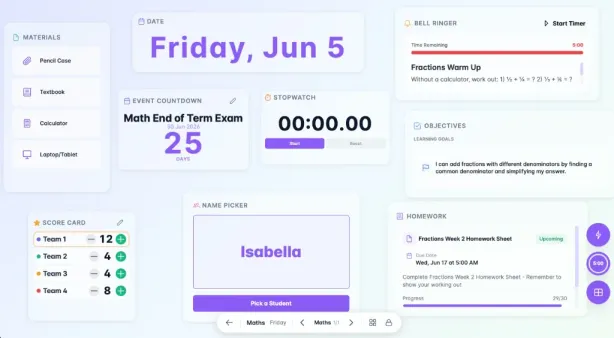
Tap "Try it" to open that screen in the demo, with a pretend class.
Start the day
- my.classroomhub.app
- my.classroomhub.app
- my.classroomhub.app
Teach
- my.classroomhub.app
- my.classroomhub.app
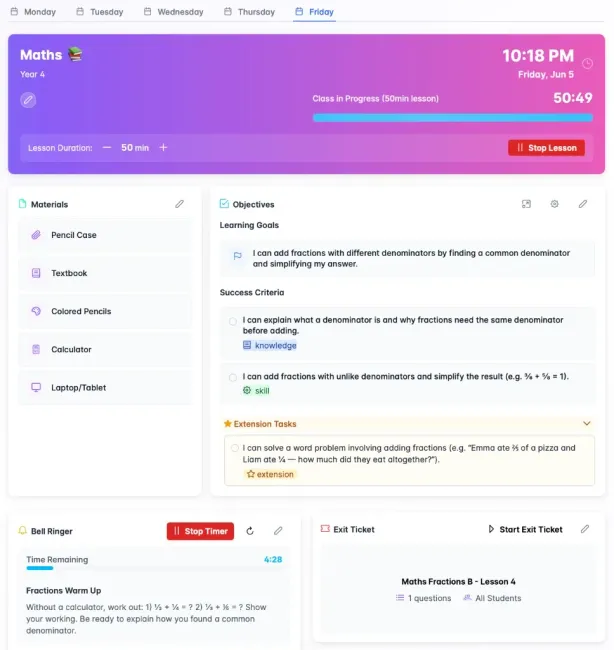
Lesson widgets
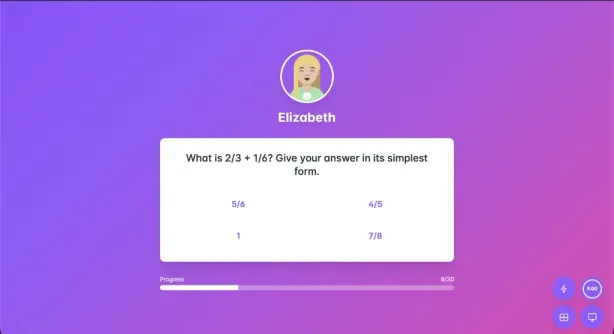
Materials, objective, bell ringer, and exit ticket ready before the class arrives.
- my.classroomhub.app
- my.classroomhub.app
- my.classroomhub.app
Plan import & lesson set-up New
Upload your school's plan, then set up a lesson's goals, bell ringer and exit ticket in one go.
- my.classroomhub.app
Google Slides on the board New
Paste a Slides link and teach from it, with the timer and name picker on top.
Reward
- my.classroomhub.app
- my.classroomhub.app
- my.classroomhub.app
- my.classroomhub.app
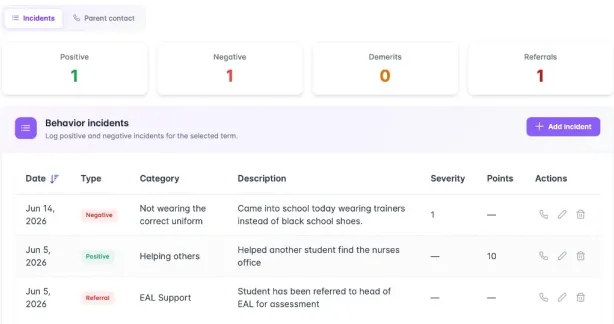
Behaviour log
Positives, concerns, and parent contact on one record for the term.
Track & report
- my.classroomhub.app
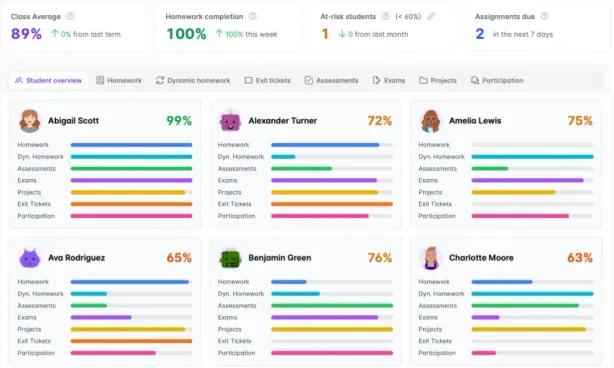
Gradebook
Homework, exams, and exit tickets, weighted in one place.
- my.classroomhub.app
- my.classroomhub.app
Curriculum tracking New
Goals link to the National Curriculum, and coverage shows what is taught and who is secure.
- my.classroomhub.app
Pupil evidence New
Add observations and photos of work to any statement, for one pupil or a whole group.
- my.classroomhub.app
AI report comments New
A first draft in your voice, from progress, marks and your notes, within your word limit.
- my.classroomhub.app
Printable rubrics New
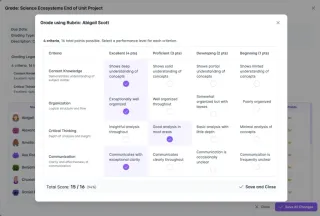
Print a blank rubric, or every pupil's marked one, with your school name and logo.
Wall charts, spreadsheets, or one connected hub?
Classroom Hub replaces the mix of wall charts, spreadsheets, and single-purpose apps teachers currently juggle, connecting the morning routine, lessons, gradebook, and rewards in one place built for EAL-friendly, visual classrooms.
| Wall charts & spreadsheets | Single-purpose apps | Classroom Hub | |
|---|---|---|---|
| Setup time | Re-laminate and rewrite every term | One app per job — several signups | One login, ready in minutes |
| Morning routine, lessons, grades & rewards | Four or five separate systems | Usually covers just one of these | All connected in one dashboard |
| Visual & EAL-friendly by default | Depends on what you draw yourself | Varies by app | Built in — icons, avatars, visual dashboards |
| Data entered once, reused everywhere | No — re-enter marks and points by hand | Rarely — data stays siloed per app | Yes — homework, exit tickets & points sync automatically |
| Your data, exportable | Whatever is on paper or in your files | Depends on the provider | 90-day export window after cancellation |
| Cost | Printing, laminating & replacement supplies | A separate subscription for each app | One plan, £49/year, everything included |
Setup time
- Wall charts & spreadsheets
- Re-laminate and rewrite every term
- Single-purpose apps
- One app per job — several signups
- Classroom Hub
- One login, ready in minutes
Morning routine, lessons, grades & rewards
- Wall charts & spreadsheets
- Four or five separate systems
- Single-purpose apps
- Usually covers just one of these
- Classroom Hub
- All connected in one dashboard
Visual & EAL-friendly by default
- Wall charts & spreadsheets
- Depends on what you draw yourself
- Single-purpose apps
- Varies by app
- Classroom Hub
- Built in — icons, avatars, visual dashboards
Data entered once, reused everywhere
- Wall charts & spreadsheets
- No — re-enter marks and points by hand
- Single-purpose apps
- Rarely — data stays siloed per app
- Classroom Hub
- Yes — homework, exit tickets & points sync automatically
Your data, exportable
- Wall charts & spreadsheets
- Whatever is on paper or in your files
- Single-purpose apps
- Depends on the provider
- Classroom Hub
- 90-day export window after cancellation
Cost
- Wall charts & spreadsheets
- Printing, laminating & replacement supplies
- Single-purpose apps
- A separate subscription for each app
- Classroom Hub
- One plan, £49/year, everything included
Common questions
Quick answers about Classroom Hub as a classroom management tool for teachers.
- What does the 14-day free trial include?
- The 14-day Pro trial includes every Classroom Hub feature: unlimited classes and students, class dashboard, homework check-in, Classroom Screen, seating groups, exit tickets, weighted gradebook, curriculum tracking, the AI assistant, class points, reward store, achievements, behaviour incidents, and end-of-term reports. No credit card is required to start.
- Does Classroom Hub work for both primary and secondary school teachers?
- Yes. Classroom Hub is built for primary and secondary classrooms. Primary teachers use the class dashboard, homework check-in, class jobs, and achievements for daily form-group routines. Secondary teachers use lesson widgets, seating groups per subject, exit tickets, and the weighted gradebook across multiple classes throughout the day. Both benefit from one connected app instead of separate wall charts and spreadsheets for each class.
- Is Classroom Hub optimized for diverse or EAL classroom environments?
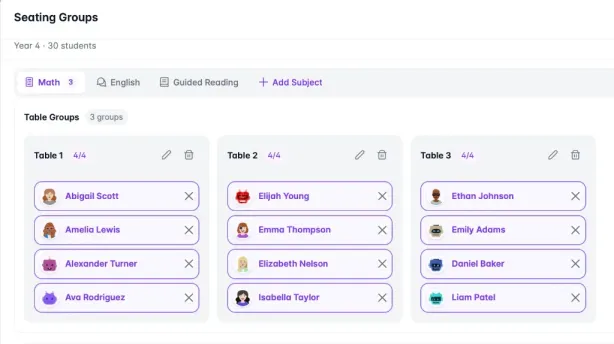
- Classroom Hub is built by international teachers for primary and secondary classrooms worldwide. Visual dashboards, Classroom Screen widgets, custom avatars, and fairness-weighted name picking reduce language barriers. Teachers configure objectives, homework goals, and seating groups per subject without rebuilding wall charts for every class.
- How does Classroom Hub use AI, and is pupil data safe?
- AI in Classroom Hub only ever suggests: a bell ringer, a curriculum link, a lesson set up from your plan, or a first draft of a report comment. Nothing is saved until you check it and press save. Pupil names and class lists are never sent — a report comment draft uses a placeholder in place of the name, which is put back only on your screen — and no copy is kept of what is sent to the AI or what it writes back. Each teacher has 50 AI requests a day, included in the plan.
- Does Classroom Hub need any special software or hardware?
- No. Classroom Hub runs in any modern browser on a laptop, Chromebook, desktop, or tablet — no app download required. The Classroom Screen projects from a browser tab onto your existing classroom display. An internet connection is required; there is no offline mode. Students only see the Classroom Screen projection and do not need their own accounts or devices.
- What happens to my data if I cancel my subscription?
- Your account enters a grace period and all data is retained for 90 days after cancellation. During that window you can export gradebook entries, attendance records, and class data. After 90 days, all student personal data is permanently deleted in line with our UK GDPR commitments. No data is sold to third parties.

14 days. Full access. No credit card.
Classroom Hub offers a 14-day Pro trial with full access to every feature — class dashboard, Classroom Screen, gradebook, class points, and reward store. No credit card is required to start, and teachers can run a real class before subscribing.
14-day Pro trial
Full access. No credit card required to start.
One simple plan
Everything in the app — no feature tiers to compare.
Replaces the wall charts
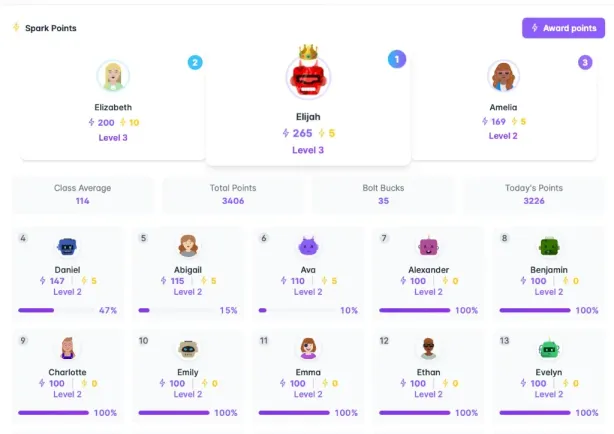
Morning dashboard, lessons, grades, class points, and your reward store in one hub.
No credit card required · Cancel anytime · Built by Teachers for Teachers